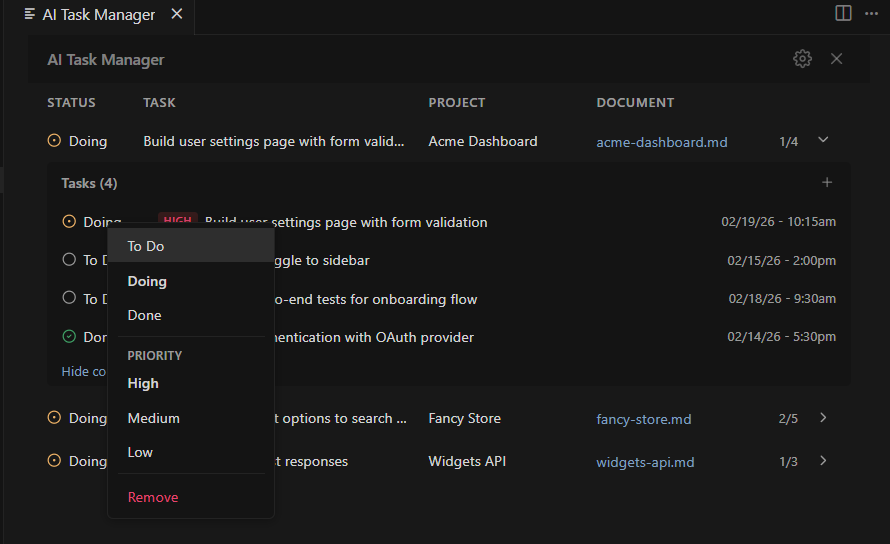
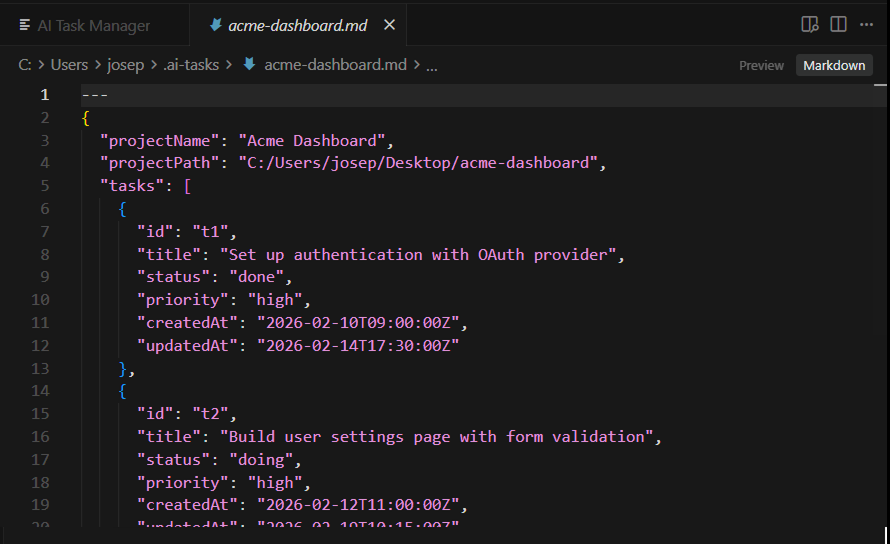
AI Task Manager

A lightweight task management panel for VS Code, Cursor, and other editors. Track tasks across multiple projects using simple Markdown files - designed to work seamlessly with AI coding assistants.
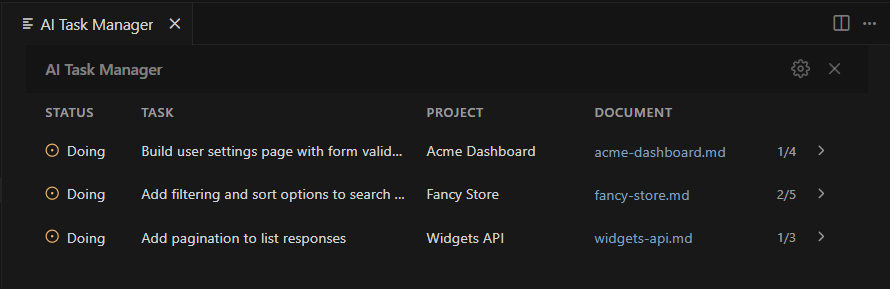
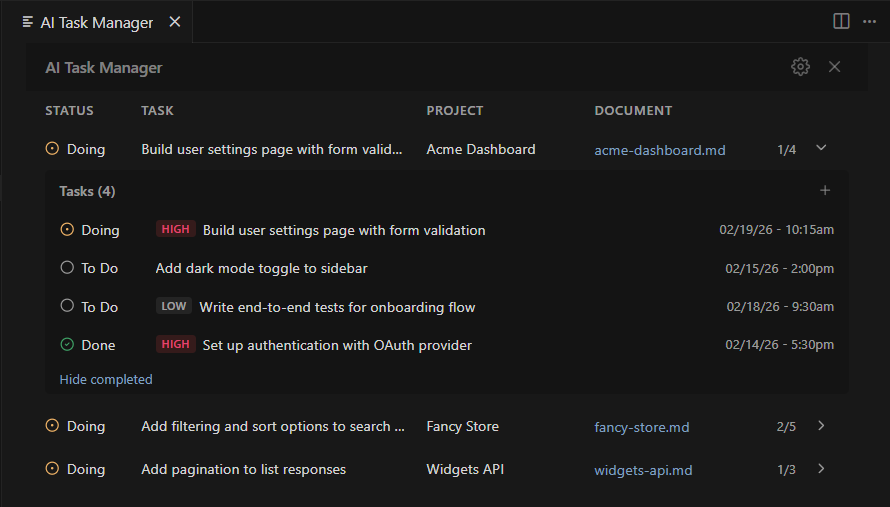
Tasks appear in a dedicated sidebar panel, giving you an overview of all your projects at a glance.
Select a project to expand its full task list - with statuses, priorities, and timestamps.
Right-click any task to change its status, update its priority, or remove it.
All task data lives in a single Markdown file per project - easy to read, edit, and version control.

Frequently asked questions

AI Task Manager is a VS Code extension that gives you a visual task panel powered by simple Markdown files. It’s designed to work alongside AI coding assistants like Claude, GPT, and Copilot — they can read and update your tasks as they work.